How Much Data Does YouTube Use Per Hour? Comparing 480p, 1080p and 4K Streaming

An hour of YouTube at 480p might use around 500MB of data. Switch to 4K, and that same hour could swallow 5GB or more. That’s a pretty expensive upgrade in pixels, especially when you’re watching on a screen that fits in your pocket.
For anyone with a limited mobile data plan, video quality can make the difference between having enough data for an entire month and receiving an unpleasant notification halfway through it.
Streaming at 1080p offers considerably sharper visuals, but it also consumes several times more data than standard definition.
Meanwhile, 4K can turn a perfectly ordinary YouTube session into a multi-gigabyte event.
So, how much data does YouTube use per hour at different resolutions, and which setting makes the most sense?
How Much Data Does YouTube Use Per Hour?
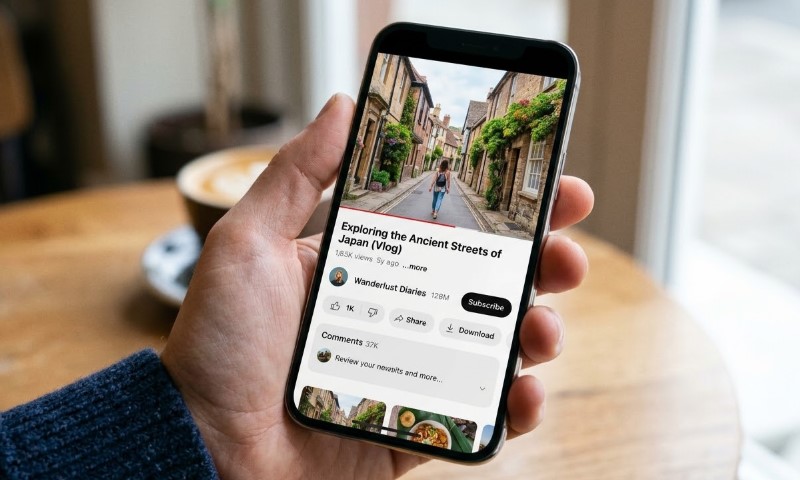
YouTube typically uses approximately 300MB to 10GB or more per hour, depending on video resolution, bitrate, and frame rate.
Here’s how estimated data consumption compares across four popular quality settings.
| YouTube quality | Estimated data usage per hour |
| 480p (SD) | 300-800MB |
| 720p (HD) | 800MB-1.5GB |
| 1080p (Full HD) | 1.5 – 3 GB |
| 4K (Ultra HD) | 3 – 10GB or more |
Quite a difference for videos playing on the same platform.
Video resolution determines how many pixels appear on screen, but bitrate determines how much data gets transmitted each second. Higher bitrates generally preserve more visual detail, particularly during fast-moving scenes.
YouTube’s official encoding specifications list recommended upload bitrates of 8 Mbps for standard-frame-rate 1080p video and 12 Mbps for high-frame-rate 1080p video.
Those are upload recommendations rather than actual viewer download rates, but they demonstrate why smoother playback can require additional bandwidth.
Actual consumption also depends on compression efficiency, video complexity, and automatic quality adjustments.
YouTube Data Usage at 480p vs. 1080p vs. 4K
View this post on Instagram
Not all YouTube resolutions treat your mobile data allowance equally.
Moving up to 1080p can multiply data consumption several times, while 4K takes things to another level entirely.
Here’s how the three resolutions compare and what that extra picture quality actually costs in gigabytes.
480p – The Data-Friendly Option
Streaming YouTube at 480p typically consumes around 500MB per hour, although usage can range between 300MB and 800MB.
For smartphone users, that’s a fairly reasonable compromise.
Videos appear less sharp than their HD counterparts, particularly when displaying small text or intricate details. However, casual entertainment, podcasts with video, and conversational content generally remain comfortable to watch.
A 480p stream also makes sense when cellular coverage is inconsistent or monthly data allowances are limited.
Nobody needs 4K resolution to watch someone explain why their phone battery is dying.
1080p – Better Quality, Bigger Data Consumption
At 1080p, YouTube generally consumes approximately 1.5GB to 3GB per hour.
Compared with the 500MB reference point for 480p, a typical 2GB Full HD stream uses four times as much data.
Extra pixels make a noticeable difference when watching gaming videos, tutorials with small text, and detailed footage. However, frame rate introduces another complication.
Consider two videos at 1080p:
- 30fps video displays 30 frames each second.
- 60fps video displays 60 frames each second.
Higher frame rates create smoother motion, especially during gaming and sports footage, but generally require higher bitrates to maintain comparable visual quality.
Recent 2026 streaming estimates put 1080p at approximately 2.05GB per hour for 30fps and 3.04GB for 60fps.
That’s nearly an additional gigabyte for smoother motion. Suddenly, a higher frame rate looks considerably less innocent.
4K – When Data Usage Gets Expensive
Streaming YouTube at 4K can consume 5GB per hour or considerably more, depending on video characteristics.
Detailed 2026 bitrate-based estimates suggest even higher consumption:
- 4K at 30fps approximately 10.58GB per hour.
- 4K at 60fps approximately 15.98GB per hour.
Compared with the estimated 2.05GB consumed by 1080p at 30fps, the 4K equivalent uses approximately 5.2 times as much data.
Some estimates put high-bitrate 4K consumption considerably higher. A 2023 streaming analysis calculated 95-385MB per minute for Ultra HD playback, equivalent to as much as 23GB over an hour at the upper end.
That’s an extreme estimate rather than typical consumption, but it demonstrates why assuming every 4K video uses the same amount of data is a risky budgeting strategy.
Higher resolution makes sense on large televisions and monitors, where additional detail is easier to appreciate. On a relatively small smartphone screen, the visual improvement may be less noticeable.
4K looks impressive, but burning through several gigabytes for one hour of video is a fairly aggressive way to enjoy sharper pixels.
How Long Can You Watch YouTube With 10GB of Data?

A 10GB allowance sounds fairly generous until 4K streaming enters the conversation.
Using representative hourly consumption estimates, here’s how much viewing time that allowance could provide.
| Resolution | Assumed hourly usage | Viewing time with 10GB |
| 480p | 0.5GB | 20 hours |
| 1080p | 2GB | 5 hours |
| 4K | 5GB | 2 hours |
Smaller data plans make the difference even harder to ignore. Using November 2026 bitrate-based estimates, a 7GB allowance could support approximately 12.4 hours of YouTube at 480p or 3.4 hours at 1080p.
Switch to 4K at 30fps, and that allowance could disappear in roughly 40 minutes. Not even enough time to finish some particularly ambitious video essays.
At 480p, 10GB could provide around 20 hours of entertainment. At 1080p, that drops to five hours.
Move up to 4K, and the same allowance might disappear during one long movie.
Here’s another useful comparison.
Someone watching YouTube for one hour daily over 30 days would consume approximately:
- 15GB at 480p
- 60GB at 1080p
- 150GB at 4K
Those calculations use the same representative rates and exclude other internet activity.
Even relatively moderate daily viewing can exceed a limited monthly plan.
And there’s another complication. At the higher 4K estimates of 10.58GB to 15.98GB per hour, a 10GB allowance wouldn’t even cover one complete hour.
What Affects YouTube Data Usage?
Selecting a resolution doesn’t guarantee identical data consumption across every video.
An October 2026 analysis found that the same YouTube video at 1080p could consume 572MB per hour using AV1 compression or 1,426MB using H.264. That’s nearly 2.5 times as much data without changing the resolution.
Apparently, choosing Full HD doesn’t tell the whole story. Your device’s supported video compression format can make a surprisingly expensive difference.
Three factors explain most of the variation.
1. Video resolution
Higher resolutions contain more pixels, generally requiring more data to preserve visual detail. Moving between 480p, 1080p, and 4K can therefore produce substantial differences in consumption.
2. Bitrate and frame rate
Bitrate measures how much information gets transmitted each second. Higher bitrates increase data consumption, while 60fps content generally needs more bandwidth than comparable 30fps footage.
Compression matters, too. Two videos at 1080p can consume different amounts of data because their content, codecs, and encoding settings differ.
3. Automatic quality settings
YouTube automatically adjusts playback quality based on connection speed, screen size, and other conditions.
A video might begin at 720p before switching to 1080p as connectivity improves. Consequently, an hour of playback doesn’t necessarily mean an hour at one consistent resolution.
Another detail worth remembering is buffering. Video players can download content ahead of the current playback position, meaning some data may already be consumed even if you stop watching early.
How to Reduce YouTube Data Usage
Saving mobile data doesn’t require abandoning YouTube. A few adjustments can substantially reduce consumption without making videos unpleasant to watch.
1. Lower Your Playback Resolution
Switching to 480p or 720p is usually the simplest solution.
Open a video, select the settings icon, choose Quality, and use Advanced to select an available resolution.
Android users have another useful safety net. Supported phones allow users to set mobile data warnings and automatic usage limits, meaning a streaming session doesn’t have to quietly consume the entire monthly allowance.
Pixel owners can configure these controls through Network & internet settings. It’s not as entertaining as watching another video, but it’s considerably cheaper than discovering a depleted data plan afterward.
For example, reducing an assumed 2GB-per-hour 1080p stream to 500MB-per-hour 480p playback would cut estimated data consumption by 75%.
That’s a substantial saving for one setting change.
2. Enable YouTube’s Data Saver
YouTube provides a Data Saver option that prioritizes lower data consumption over picture quality.
On supported mobile app versions, open your profile settings, select Video quality preferences, and choose Data saver for mobile networks.
Unlike manually selecting a specific resolution, Data Saver allows YouTube to manage quality with reduced data consumption as the priority.
3. Download Videos Over Wi-Fi
Downloading videos before leaving home can eliminate the need to stream them over cellular data later.
YouTube Premium supports offline downloads for eligible content, while some regions offer limited offline downloading without a subscription.
Availability depends on the video, location, and account.
Downloads still consume internet bandwidth and device storage, but completing them over Wi-Fi prevents those downloads from using your cellular allowance.
4. Disable Autoplay
Autoplay automatically starts another video when the current one finishes.
Convenient? Absolutely. Particularly economical when you’re not paying attention? Not necessarily.
Turn off Autoplay using the switch in the video player or through YouTube’s settings.
Doing so prevents unnecessary playback after the video you actually wanted to watch.
Closing Thoughts
YouTube’s data consumption depends heavily on video quality. Streaming at 480p keeps usage relatively modest, while 1080p offers a practical compromise between sharp visuals and bandwidth consumption.
4K delivers considerably more detail, but its data requirements can quickly overwhelm limited mobile plans.
Actual consumption still varies with bitrate, frame rate, and automatic playback adjustments.
For most smartphone viewing, there’s little reason to insist on maximum resolution every time. Sometimes, saving several gigabytes is worth sacrificing a few pixels.
Figures reflect the sources and time periods cited in this story. It is general information, not financial or investment advice.